
After a Form has been field out the information is then inserted into an Excel file found on the correct SharePoint page.
How to Access that Excel form you will follow the following steps
- Open up SharePoint to the correct Page:
- CPG Sales- Please contact DSD Support for the URL
- CPG Sales- Please contact DSD Support for the URL
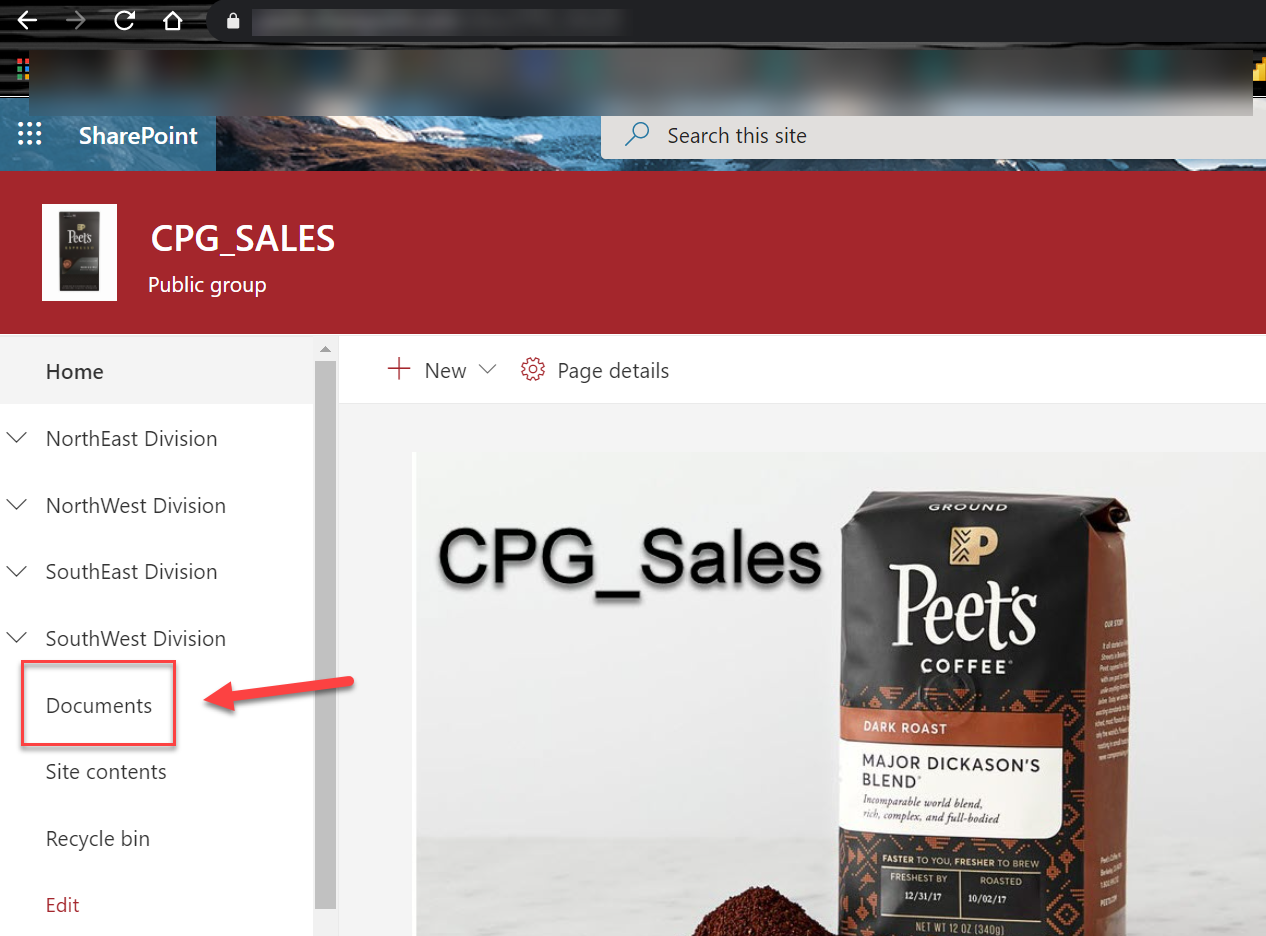
- Once you are on the correct SharePoint Page you will look on your Left side down the column for "DOCUMENTS"
- Now in Document Scroll down to find the Correct Folder
Example: Find the Merchandiser Folder- Double Click to Open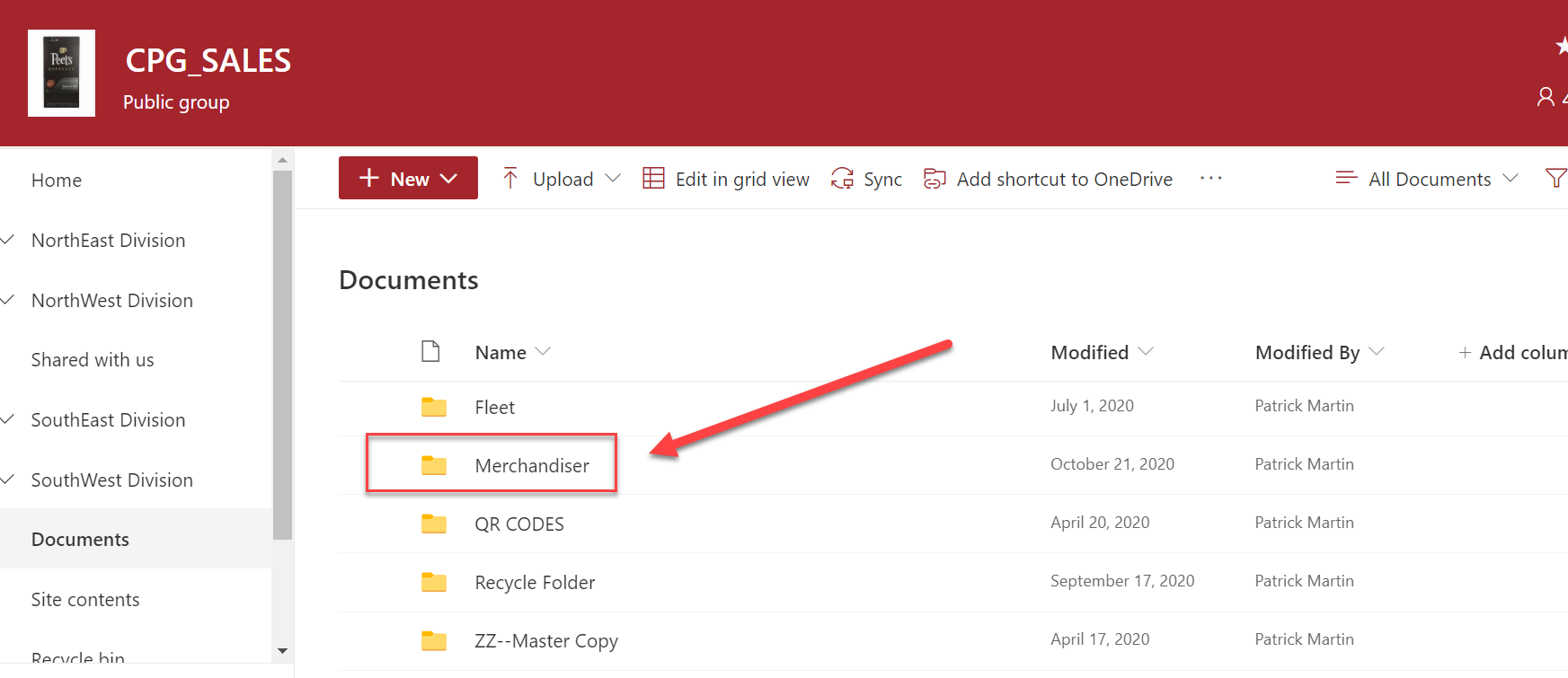
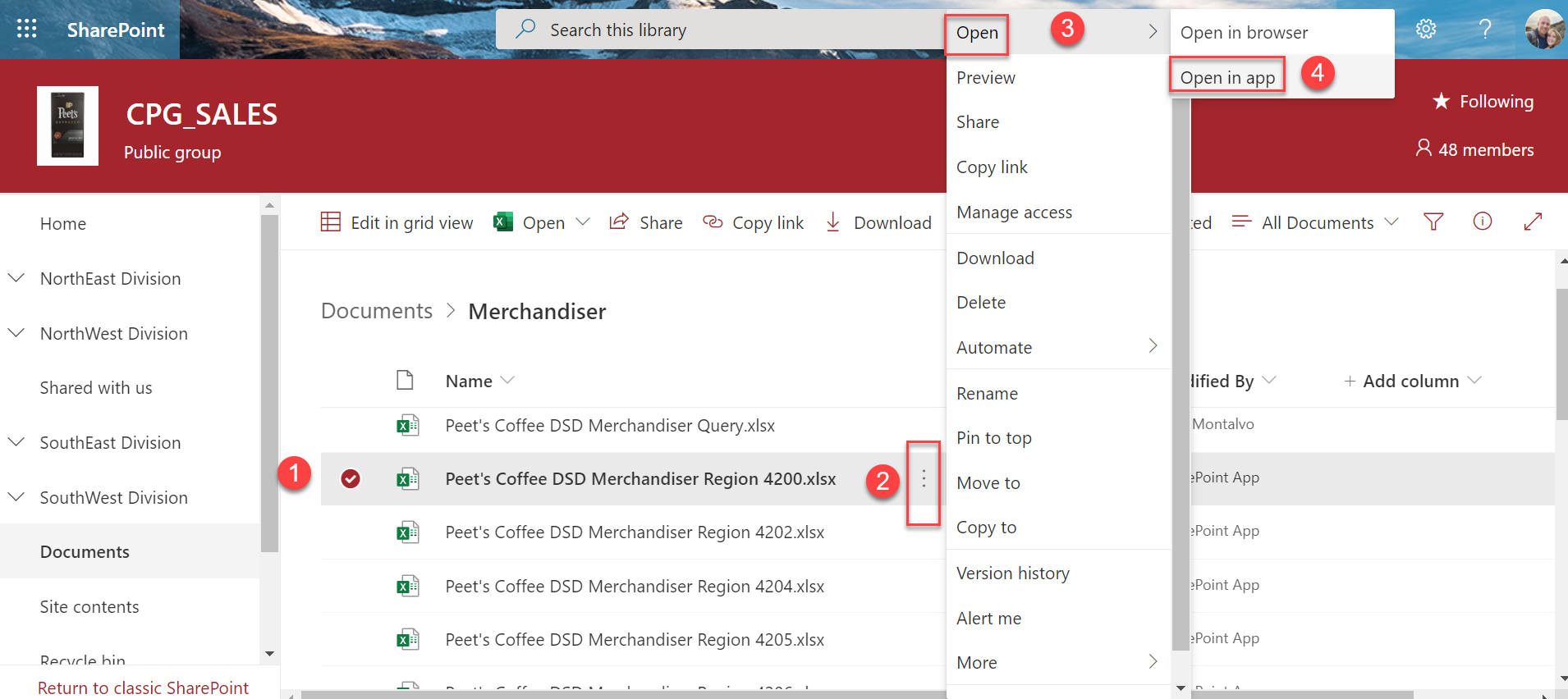
- Find your Document File-
- Find the File with your Region beside it- Note you can expand the Name column wider if needed to see your Region beside it
- Click on the Three Dots to the Right of your File
- A menu will appear. Go to the Top and Click on Open
- Next Menu Click Open in App
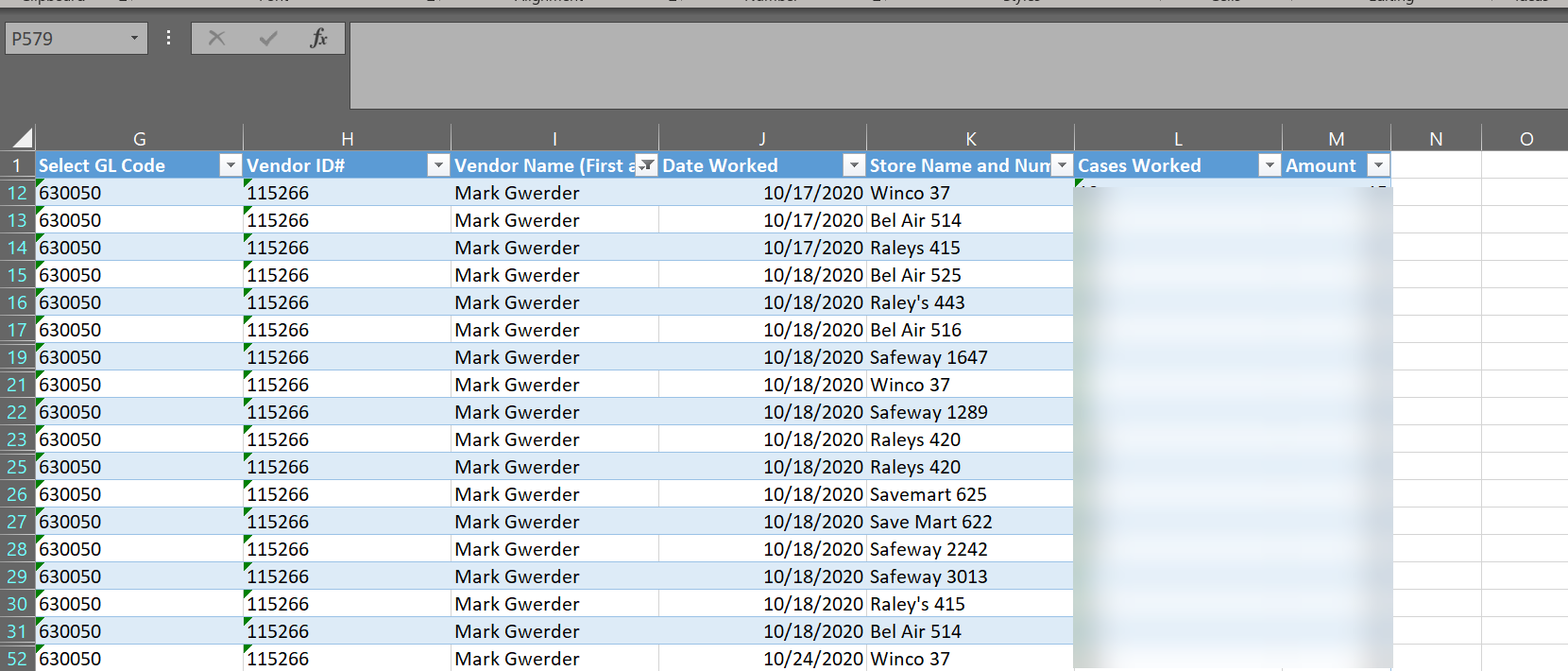
- Now your Excel Results will open for you to view them and edit if necessary
Comments
0 comments
Please sign in to leave a comment.